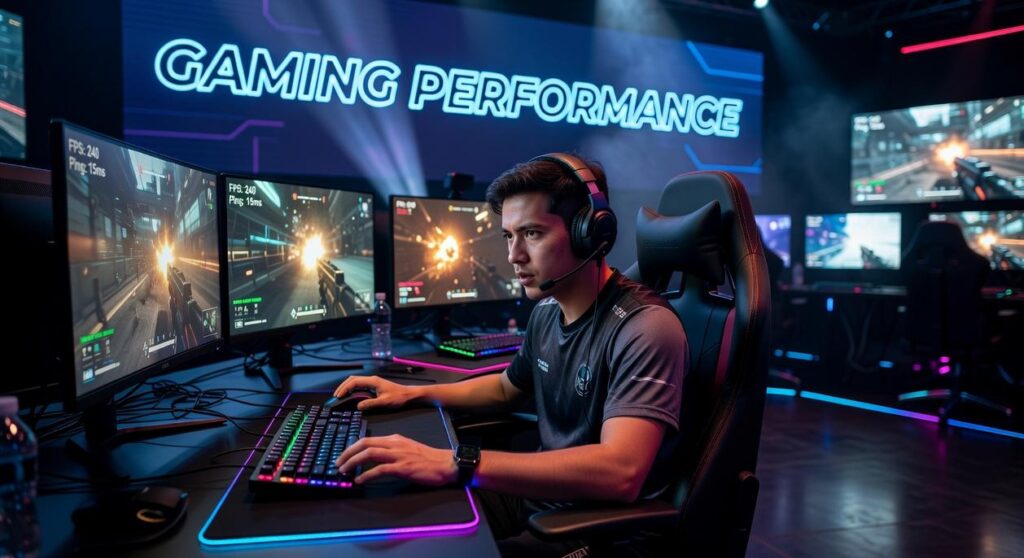
If you’re searching for a high refresh rate gaming monitor guide, you’re likely trying to figure out whether 144Hz, 240Hz, or even 360Hz is actually worth it—and which specs truly improve your gameplay. With esports titles demanding split-second reactions and modern GPUs pushing higher frame rates than ever, choosing the right monitor can directly impact your performance, clarity, and overall experience.
This article is built to give you clear, no-fluff answers. We break down refresh rates, response times, panel types, and adaptive sync technologies in practical terms—so you know what matters for competitive shooters, immersive RPGs, and fast-paced esports titles.
Our insights are based on hands-on testing, analysis of current gaming hardware trends, and deep dives into how game engines and frame delivery interact with display technology. By the end, you’ll know exactly what to look for in a high refresh rate setup—and how to match it to your playstyle and system.
FEEL EVERY FRAME
Competitive gaming is measured in heartbeats and HERTZ. On a 60Hz panel, motion smears like paint; enemies blur, inputs feel mushy. Jump to 144Hz or 240Hz and the image snaps into focus—the crosshair glides like it’s on rails, footsteps sync with what you see.
But when your GPU can push 200+ FPS, pairing it with right refresh rate unlocks responsiveness you can feel in your fingertips.
This high refresh rate gaming monitor guide shows how panel type and adaptive sync stop tearing, so every flick feels instant.
- Pro tip: match refresh rate to average in-game FPS.
Decoding the Numbers: What Refresh Rate (Hz) Actually Means for Gaming)
Hertz (Hz) is simply how many times your screen updates per second. A 60Hz monitor refreshes 60 times. A 144Hz display refreshes 144 times. More updates mean smoother motion—less blur, less visual guesswork.
I learned this the hard way. I stuck with 60Hz for years, assuming “a frame’s a frame.” Then I tried 144Hz. The difference felt like flipping through a slow flipbook versus one with twice the pages. Same drawings—way smoother story.
In fast shooters like Valorant or Apex Legends, higher refresh rates make tracking enemies dramatically easier. Movements look continuous instead of jittery, which helps with flick shots and recoil control (yes, it really is that noticeable).
• 60Hz: Playable, but motion blur creeps in
• 144Hz+: Sharper motion and clearer target tracking
Here’s the catch: your GPU must output frames per second (FPS) matching the refresh rate. If you’re getting 70 FPS on a 144Hz monitor, you’re leaving performance on the table.
Pro tip: Check benchmarks before buying—our high refresh rate gaming monitor guide can help you avoid my mistake.
Finding Your Sweet Spot: 144Hz vs. 240Hz vs. 360Hz+
Choosing a refresh rate isn’t just about bigger numbers—it’s about what you actually gain on screen.
144Hz – The New Standard
For most gamers, 144Hz is the sweet spot. Moving from 60Hz (60 screen updates per second) to 144Hz delivers smoother camera pans, clearer motion, and lower input latency—the delay between your mouse click and on-screen action. The jump feels dramatic in shooters, racing games, and even sprawling single-player RPGs.
Benefits:
- Noticeably smoother motion
- Reduced motion blur
- Strong performance-to-price ratio
For the majority, this is the best value upgrade—and yes, it’s night-and-day compared to 60Hz.
240Hz – The Competitive Edge
At 240Hz, you enter diminishing returns territory. The visual leap isn’t as shocking as 60→144Hz, but the input latency drops further—often by a few milliseconds. In esports titles like CS2 or Valorant, that matters. (Blink and you miss it—literally.)
- Faster frame updates
- Slightly clearer target tracking
- Best paired with high FPS output
If you’re grinding ranked ladders daily, 240Hz offers a measurable edge.
360Hz and Beyond – The Pro Tier
360Hz+ monitors target professional players with top-tier GPUs pushing 360+ FPS consistently. The benefit? Ultra-low motion persistence and the absolute minimum latency currently achievable on consumer panels.
Engine optimization matters here. Unreal Engine 5’s heavy lighting systems can bottleneck ultra-high FPS, while Source 2 often scales better at extreme frame rates. Your hardware must match the ambition.
Before upgrading, consult a high refresh rate gaming monitor guide to balance GPU power, CPU headroom, and panel response times.
Bottom line: 144Hz for most, 240Hz for competitors, 360Hz for pros chasing perfection.
The Holy Trinity: Balancing Refresh Rate with Resolution and Response Time

A high refresh rate means nothing if the other two pillars—resolution and response time—can’t keep up. Think of it like building a competitive loadout: every stat matters.
Refresh Rate vs. Resolution
Refresh rate (measured in Hz) is how many times your monitor updates per second. Resolution (1080p, 1440p, 4K) refers to how many pixels it displays. More pixels equal sharper images—but also more strain on your GPU.
Here’s the trade-off: pushing 240Hz at 4K demands serious graphics power. According to NVIDIA performance scaling data, higher resolutions significantly reduce achievable frame rates on the same GPU (NVIDIA Developer Reports). If your system can’t match your monitor’s refresh rate with actual frames, you’re wasting potential.
Recommendation:
- 1080p/240Hz for pure competitive shooters (think Valorant or CS2 grind sessions).
- 1440p/144Hz for a balanced competitive + visual experience.
- 4K/144Hz only if you have high-end hardware and value immersion.
If you’re unsure, consult a high refresh rate gaming monitor guide before committing.
Response Time: GtG vs. MPRT
Response time measures how fast pixels change color. GtG (Gray-to-Gray) tracks pixel transitions; MPRT (Moving Picture Response Time) measures perceived blur. A low 1ms rating helps prevent ghosting—those distracting motion trails behind moving objects.
Pro tip: prioritize real-world reviews over manufacturer claims (numbers can be… optimistic).
Panel Types and Their Impact
- IPS: Best colors, wide viewing angles, now fast enough for esports.
- VA: Superior contrast, deeper blacks, slightly slower transitions.
- TN: Historically fastest, but weaker color reproduction.
For most players, IPS hits the sweet spot.
And yes, your monitor matters as much as your input device—just like choosing between mechanical vs membrane keyboards competitive play can affect performance. Balance wisely.
Eliminating Tearing: A Simple Guide to G-Sync and FreeSync
What is Screen Tearing?: Simply put, screen tearing happens when your GPU (graphics processing unit) sends frames that don’t match your monitor’s refresh cycle. The result? A split-looking image where two frames appear at once (think glitchy live TV during a storm).
However, adaptive sync changes the game. NVIDIA’s G-Sync and AMD’s FreeSync let the monitor dynamically match its refresh rate to the GPU’s frame rate. In other words, the screen waits for the graphics card, not the other way around. Trust me here.
Some argue V-Sync is enough, and yes, it helps—but it often adds input lag, which competitive players feel. When choosing, note that “G-Sync Compatible” monitors lack native G-Sync modules but still work well. Meanwhile, most modern FreeSync displays run smoothly on NVIDIA cards, expanding options. For deeper advice, see our high refresh rate gaming monitor guide.
Last year, I ignored the warning signs and bought a flashy 240Hz monitor my GPU simply couldn’t handle. The result? Stutters, wasted cash, and a painful lesson. A slow monitor—or an overambitious one—creates a bottleneck, holding back both your skills and hardware. So, before you click buy, confirm what your GPU can realistically push. Then, choose the resolution and refresh rate sweet spot for your main games. Finally, make sure adaptive sync is included. Some argue specs don’t matter much, but they absolutely do. For clarity, revisit a high refresh rate gaming monitor guide before deciding. Trust me on this.
Level Up Your Competitive Edge with the Right Display
You came here looking for clarity on what actually matters when choosing a performance-driven display. Now you understand how refresh rates, response times, panel types, and adaptive sync all work together to shape smoother gameplay, sharper visuals, and faster reactions.
If you’ve been frustrated by screen tearing, motion blur, or losing crucial split-second fights, the issue likely isn’t your skill — it’s your setup. The right monitor transforms your experience from reactive to razor-sharp, giving you the fluidity and visual precision modern titles demand.
Now it’s time to act. Use this high refresh rate gaming monitor guide to compare specs, match your GPU capabilities, and choose a display built for your playstyle — whether you grind ranked ladders or dominate esports scrims.
Don’t let outdated hardware hold back your performance. Upgrade to a high refresh rate monitor trusted by competitive players worldwide and feel the difference instantly. Make the switch today and experience smoother, faster, more immersive gameplay the way it was meant to be played.
 Marketing & Strategy Lead
Michaeliv Roldanakurt writes the kind of tech-driven gaming gear tips content that people actually send to each other. Not because it's flashy or controversial, but because it's the sort of thing where you read it and immediately think of three people who need to see it. Michaeliv has a talent for identifying the questions that a lot of people have but haven't quite figured out how to articulate yet — and then answering them properly.
They covers a lot of ground: Tech-Driven Gaming Gear Tips, Mag-Based Game Engine Explorations, Hot Topics in Gaming, and plenty of adjacent territory that doesn't always get treated with the same seriousness. The consistency across all of it is a certain kind of respect for the reader. Michaeliv doesn't assume people are stupid, and they doesn't assume they know everything either. They writes for someone who is genuinely trying to figure something out — because that's usually who's actually reading. That assumption shapes everything from how they structures an explanation to how much background they includes before getting to the point.
Beyond the practical stuff, there's something in Michaeliv's writing that reflects a real investment in the subject — not performed enthusiasm, but the kind of sustained interest that produces insight over time. They has been paying attention to tech-driven gaming gear tips long enough that they notices things a more casual observer would miss. That depth shows up in the work in ways that are hard to fake.
Marketing & Strategy Lead
Michaeliv Roldanakurt writes the kind of tech-driven gaming gear tips content that people actually send to each other. Not because it's flashy or controversial, but because it's the sort of thing where you read it and immediately think of three people who need to see it. Michaeliv has a talent for identifying the questions that a lot of people have but haven't quite figured out how to articulate yet — and then answering them properly.
They covers a lot of ground: Tech-Driven Gaming Gear Tips, Mag-Based Game Engine Explorations, Hot Topics in Gaming, and plenty of adjacent territory that doesn't always get treated with the same seriousness. The consistency across all of it is a certain kind of respect for the reader. Michaeliv doesn't assume people are stupid, and they doesn't assume they know everything either. They writes for someone who is genuinely trying to figure something out — because that's usually who's actually reading. That assumption shapes everything from how they structures an explanation to how much background they includes before getting to the point.
Beyond the practical stuff, there's something in Michaeliv's writing that reflects a real investment in the subject — not performed enthusiasm, but the kind of sustained interest that produces insight over time. They has been paying attention to tech-driven gaming gear tips long enough that they notices things a more casual observer would miss. That depth shows up in the work in ways that are hard to fake.