
I’ve lost matches because of a 50-millisecond delay.
You know that feeling when you click and nothing happens. Or when you dodge but still get hit. That’s latency killing your game.
It doesn’t matter how good your aim is if your inputs arrive late. You’re already dead before the server registers your shot.
Here’s the reality: lag is the biggest thing standing between you and the gameplay you’re trying to experience. Real time gaming means zero delay between what you do and what happens on screen.
I’ve spent years testing how different systems handle input delay. I’ve measured the difference between 144Hz and 240Hz monitors. I’ve compared fiber connections to cable. I’ve torn apart the tech that separates casual play from competitive performance.
This article breaks down every type of latency that’s slowing you down. I’ll show you which hardware actually matters and which upgrades are just marketing.
We test gaming performance at the component level. We measure response times in milliseconds and compare real-world results across different setups.
You’ll learn what causes input lag, display lag, and network lag. More important, you’ll learn how to fix each one.
No theory. Just the specific tech you need to get the most responsive gaming experience possible.
Deconstructing latency: the three-headed dragon of lag
You know that feeling when you click and nothing happens?
Not because your mouse died. But because there’s this tiny gap between your action and what you see on screen.
That’s latency. And it’s not just one problem.
Most people think lag is lag. You either have it or you don’t. But when I started digging into what is real time gaming Zeromagtech, I realized something. Latency isn’t a single enemy. It’s three different delays stacked on top of each other.
Some folks will tell you that modern systems are so fast that latency doesn’t matter anymore. They’ll say your hardware is good enough and you’re just making excuses for missing that shot.
But here’s what they’re missing.
Even at 5ms per stage, three stages means 15ms total. That’s almost a full frame at 60fps. In competitive play, that’s the difference between landing the hit and watching the killcam.
Let me break down where your time actually goes.
Input lag: where it all starts
This is the moment your finger hits the button.
Your mouse or keyboard has to register that press. Then it sends the signal to your PC. Wireless peripherals? Add a few milliseconds. Cheaper hardware with slower polling rates? Add more.
Most gaming mice poll at 1000Hz (that’s every 1ms). But some budget options still run at 125Hz. That’s 8ms right there before your PC even knows you did something.
System & render lag: the heavy lifter
This is where most of your latency lives.
Your CPU processes what just happened in the game. Did you fire? Did you move? What needs to update? Then it hands that off to your GPU to actually draw the new frame.
If your GPU is maxed out trying to push 240fps on ultra settings, it’s going to take longer to finish each frame. That’s why pros often drop their graphics settings even when they have powerful rigs.
Display lag: the final mile
Your GPU finished the frame. Great.
Now your monitor has to actually show it. This depends on two things: refresh rate and response time. A 60Hz monitor updates every 16.67ms. A 240Hz monitor? Every 4.17ms.
Then there’s pixel response time. How fast can your panel actually change colors? TN panels are usually faster than IPS. OLED is even faster.
I’ve tested setups where display lag alone was eating 20ms. The player had a beast PC but was gaming on an old TV in game mode.
The thing is, you can’t fix what you don’t measure. Each stage matters. And if you’re serious about reducing lag, you need to know which part of the chain is slowing you down. To truly optimize your gaming experience and tackle lag effectively, understanding the role of each component in your setup, including the innovative technology behind Zeromagtech, is essential for pinpointing and resolving bottlenecks. To truly enhance your gaming performance and tackle lag head-on, incorporating modern solutions like Zeromagtech into your setup can provide the insights needed to identify and rectify the bottlenecks in your system.
The core technologies powering near-zero latency
You want near-zero latency?
You need more than just one piece of gear.
I see players drop $300 on a monitor and wonder why their game still feels sluggish. Or they blame their internet when the real problem is sitting right in their PC.
Here’s what actually works.
High Refresh Rate Displays (240Hz+)
This is where it starts. Your monitor refreshes 240 times per second instead of 60. That cuts display delay by over 12 milliseconds right there.
Does it matter? Ask any competitive player. They’ll tell you the difference between 60Hz and 240Hz feels like playing a different game.
System Latency Reduction Stacks This is something I break down further in New Console Release Date Zeromagtech.
NVIDIA Reflex changed everything for me. It syncs your CPU and GPU so frames don’t pile up in a queue waiting to be displayed. Instead, frames get rendered just in time.
No framerate sacrifice. Just faster response.
Some people say you don’t need this if you already have high FPS. But that’s missing the point. High FPS with a render queue still means delay. Reflex cuts that queue out completely.
High-Speed Peripherals
Your mouse and keyboard need polling rates of 1000Hz or higher. Optical switches help too. They register your clicks at the physical limit of what’s possible.
(Your old membrane keyboard from 2015 is holding you back more than you think.)
Optimized Game Engines & Netcode
This is where real time gaming zeromagtech gets interesting. Developers use client-side prediction and lag compensation to make online matches feel responsive even when network latency exists.
Good netcode won’t fix a 200ms ping. But it makes 30ms feel like nothing.
Now you’re probably wondering about your current setup. Maybe you have a 144Hz monitor but you’re still on a regular mouse. Or you’ve got Reflex-compatible hardware but never turned it on.
Pro tip: Enable any latency reduction features in your game settings first. They’re free and they work.
What about laptops? If you’re shopping around, check out which gaming laptop should i buy zeromagtech for options that actually support these technologies out of the box.
The truth is you don’t need every piece at once. Start with what matters most for your setup and build from there.
The esports advantage: why every millisecond matters
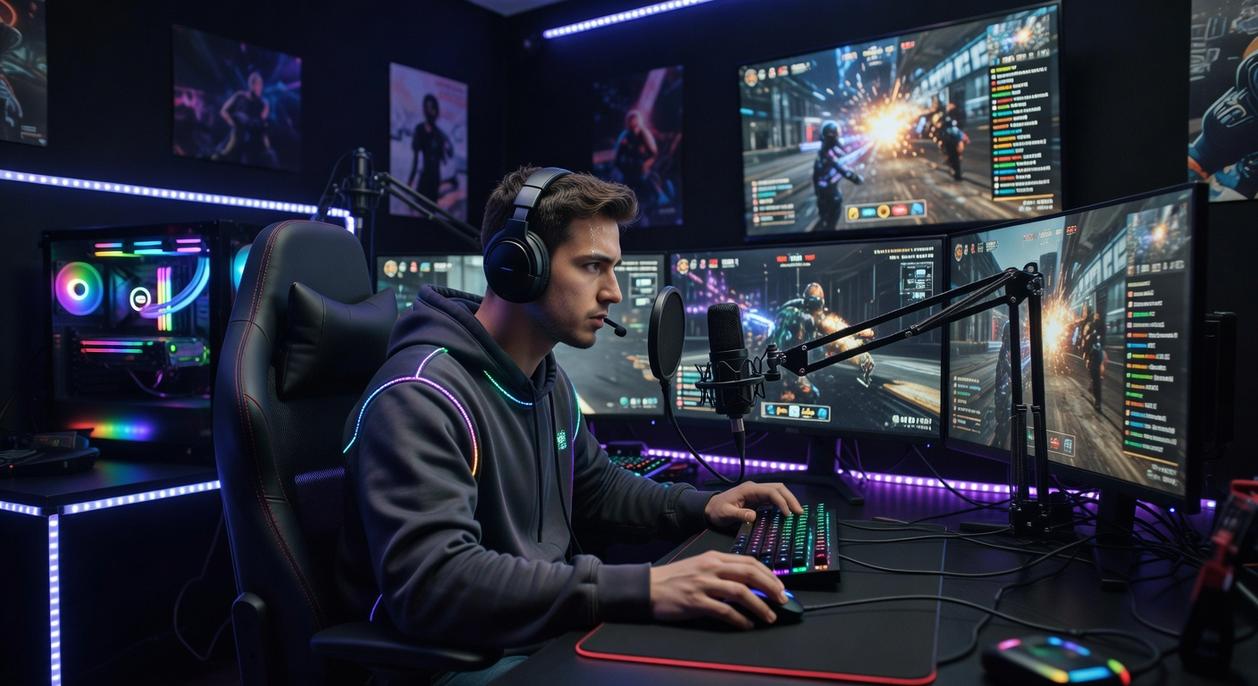
In esports, you either have the edge or you don’t.
There’s no middle ground when a match comes down to who saw who first.
Some people will tell you that gear doesn’t matter. That skill is everything. That if you’re good enough, you’ll win on any setup.
They’re wrong.
I’ve watched too many talented players get beat by opponents who weren’t better. Just faster. Their systems responded quicker. Their screens showed the action sooner. They won because their tech gave them TIME.
Here’s what real time gaming zeromagtech actually means for your performance.
The 50ms Problem
Most gaming setups run at around 50ms total system latency. That includes your input device, your PC processing, your monitor response, everything combined. As gamers eagerly await advancements that could reduce the average total system latency of around 50ms, the buzz around the Zeromagtech New Console Release Date by Zero1magazine has sparked discussions about how this new technology might redefine the gaming experience. As gamers eagerly anticipate innovations that could drastically lower their total system latency, the excitement surrounding the Zeromagtech New Console Release Date by Zero1magazine adds an extra layer of intrigue to the future of gaming technology.
Sounds fast, right?
It’s not. Not when you’re competing against someone running at 15ms.
That 35ms gap? It’s the difference between you getting the kill or respawning.
Why FPS Players Obsess Over Latency
In tactical shooters, there’s this thing called peeker’s advantage. The player who peeks around a corner sees the defender before the defender sees them.
But here’s what most people miss.
Peeker’s advantage gets BIGGER when you have lower latency. You see your opponent sooner. You have more time to line up your shot. You fire first.
Period.
This is why pro tournaments use identical low-latency setups for every player. They know the player with worse tech would lose before the match even starts.
It’s Not Just Shooters
Fighting games live and die on frame data. A combo that requires 3-frame timing? You’re not hitting that consistently at 50ms latency.
MOBAs reward the player who can last-hit minions with perfect timing. Who can dodge skill shots with 10ms to spare.
Action RPGs punish you for missing dodge windows that might only be 100ms wide.
Lower latency means you can perform at the absolute peak of what your reflexes allow. You’re not fighting your equipment. You’re just playing. What Is the Best Gaming News Zeromagtech picks up right where this leaves off.
The 15ms Standard
Getting down to 15ms total system latency takes work. You need a mouse or controller with sub-1ms response. A PC that can push frames without stuttering. A monitor with actual 1ms response time (not the marketing BS).
But when you get there? You feel it immediately.
Your crosshair goes where you want it. Your character responds the instant you press a button. You see threats before they become problems.
Some players say they can’t tell the difference.
Those players aren’t winning tournaments.
Building your zero-latency setup: an actionable checklist
You can start reducing latency today.
I’m going to give you the most impactful steps to take right now. Not someday. Today.
Start with your monitor. Get a high refresh rate display. 144Hz is your baseline but I’d push you toward 240Hz or higher if you’re serious about competitive play.
Your mouse matters too. Go wired with a high polling rate. Wireless might feel cleaner on your desk but you’re adding milliseconds you don’t need to add.
Same goes for your internet connection. Ditch Wi-Fi and run an Ethernet cable. I don’t care if it looks messy.
Now let’s talk software.
If you’re running NVIDIA, turn on Reflex in your game settings. It’s built for this exact problem. And while you’re at it, update your graphics drivers. Old drivers cost you frames.
Head into your GPU control panel and set Low Latency Mode to Ultra or On. (Most people never touch this setting and wonder why their setup feels sluggish.)
Here’s where it gets interesting. Lower your graphics settings. I know your game looks pretty on Ultra but you’re trading visual fidelity for what is real time gaming zeromagtech actually cares about: responsiveness. When considering the balance between performance and visual quality, many gamers find themselves asking, “Which Gaming Laptop Should I Buy Zeromagtech” to ensure they achieve optimal responsiveness without sacrificing the experience. When evaluating the performance trade-offs in your gaming experience, you might find yourself wondering, “Which Gaming Laptop Should I Buy Zeromagtech” to ensure you achieve that perfect balance between responsiveness and visual fidelity.
Higher FPS means lower system latency. Period.
Drop shadows, reduce textures, turn off motion blur. You’ll feel the difference in your first match.
Reclaiming your reaction time
I’ve shown you that zero latency isn’t some mythical goal.
You get there by targeting lag across your peripherals, your PC, and your display. Each piece matters.
You don’t have to accept delay as part of gaming anymore. That split second that’s cost you countless virtual lives? It’s a solvable problem.
The fix works when you combine high-performance hardware with smart software tweaks. You create an environment where your actions show up on-screen almost instantly.
This is what real time gaming zeromagtech is all about.
Here’s what you do next: Use the checklist in this guide to audit your setup. Start with the biggest bottlenecks first.
Make these changes and you’ll feel the difference immediately. Your gameplay will respond faster. Your reaction time will improve.
The lag that’s been holding you back? You just learned how to eliminate it. Zeromagtech New Console Release Date by Zero1magazine.
 Founder & CEO
Ask Koralia Tornhanna how they got into mag-based game engine explorations and you'll probably get a longer answer than you expected. The short version: Koralia started doing it, got genuinely hooked, and at some point realized they had accumulated enough hard-won knowledge that it would be a waste not to share it. So they started writing.
What makes Koralia worth reading is that they skips the obvious stuff. Nobody needs another surface-level take on Mag-Based Game Engine Explorations, Hot Topics in Gaming, Core Mechanics and Playstyles. What readers actually want is the nuance — the part that only becomes clear after you've made a few mistakes and figured out why. That's the territory Koralia operates in. The writing is direct, occasionally blunt, and always built around what's actually true rather than what sounds good in an article. They has little patience for filler, which means they's pieces tend to be denser with real information than the average post on the same subject.
Koralia doesn't write to impress anyone. They writes because they has things to say that they genuinely thinks people should hear. That motivation — basic as it sounds — produces something noticeably different from content written for clicks or word count. Readers pick up on it. The comments on Koralia's work tend to reflect that.
Founder & CEO
Ask Koralia Tornhanna how they got into mag-based game engine explorations and you'll probably get a longer answer than you expected. The short version: Koralia started doing it, got genuinely hooked, and at some point realized they had accumulated enough hard-won knowledge that it would be a waste not to share it. So they started writing.
What makes Koralia worth reading is that they skips the obvious stuff. Nobody needs another surface-level take on Mag-Based Game Engine Explorations, Hot Topics in Gaming, Core Mechanics and Playstyles. What readers actually want is the nuance — the part that only becomes clear after you've made a few mistakes and figured out why. That's the territory Koralia operates in. The writing is direct, occasionally blunt, and always built around what's actually true rather than what sounds good in an article. They has little patience for filler, which means they's pieces tend to be denser with real information than the average post on the same subject.
Koralia doesn't write to impress anyone. They writes because they has things to say that they genuinely thinks people should hear. That motivation — basic as it sounds — produces something noticeably different from content written for clicks or word count. Readers pick up on it. The comments on Koralia's work tend to reflect that.